
T1 · Teacher guide
Set up a class and share it
Create a class, mint group codes, and share them with students so they can join.
What a class is
In AIPLA a class is a container you own. It has:
- one or more group codes — the short codes students type to join. Students do not create accounts and do not log in; the group code is all they need.
- the activities you assign to it (guide T2).
- a tutor — who teaches this class: its name, picture, voice, tone and teaching approach, in one choice. Leave the default or change it later.
Everything below is done in your browser. You do not need a developer.
Step 1 — Create the class
From your teacher area, open Classes and select New class. Give the class a name — for example, "Physik 2.g, autumn 2026" — and, optionally, a short description. Select Create.
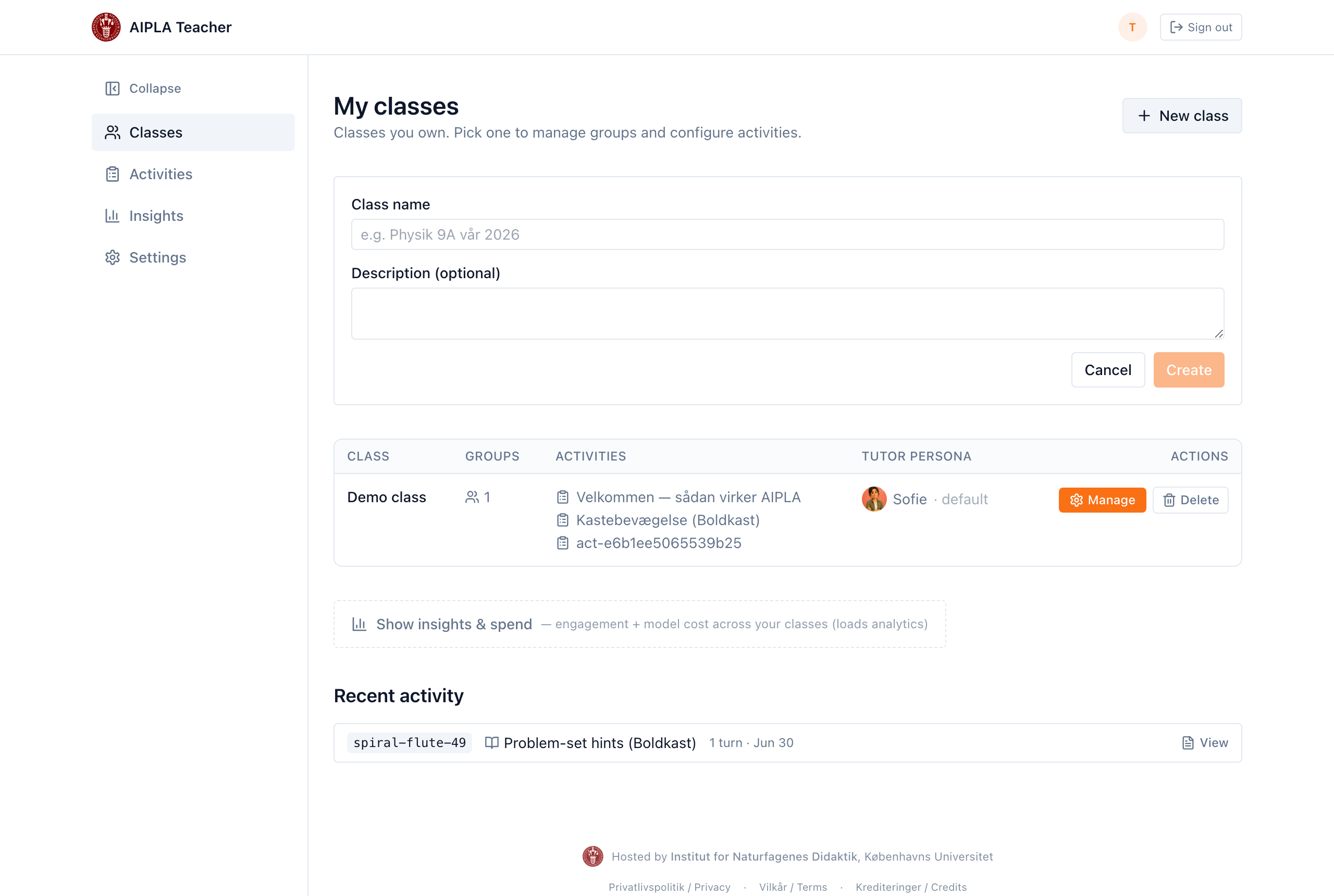
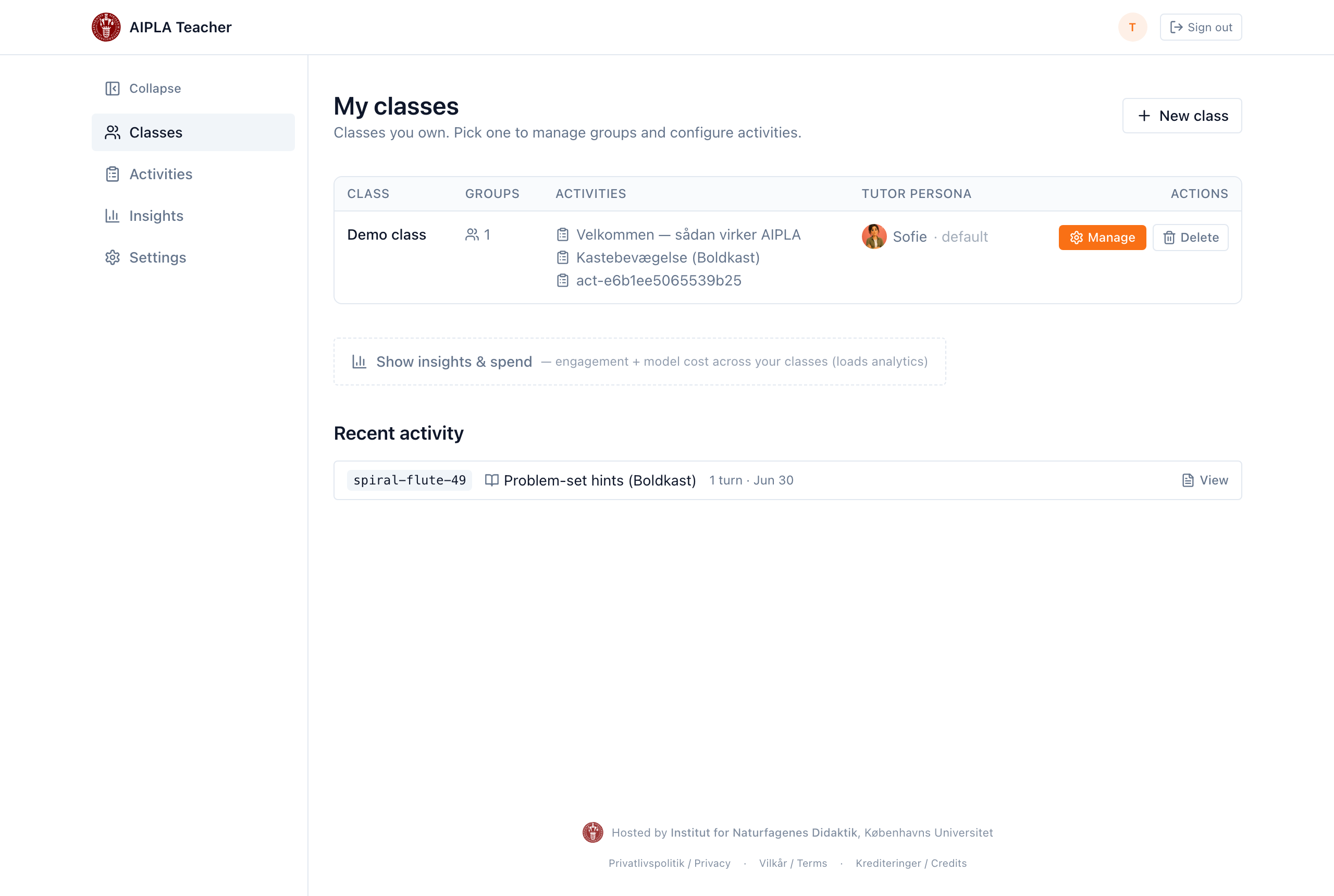
Your new class now appears in the class list, alongside any others you own.
Step 2 — Mint a group code
Open the class with Manage. A new class has no group codes yet, so select New group. AIPLA generates a short code and copies it to your clipboard.
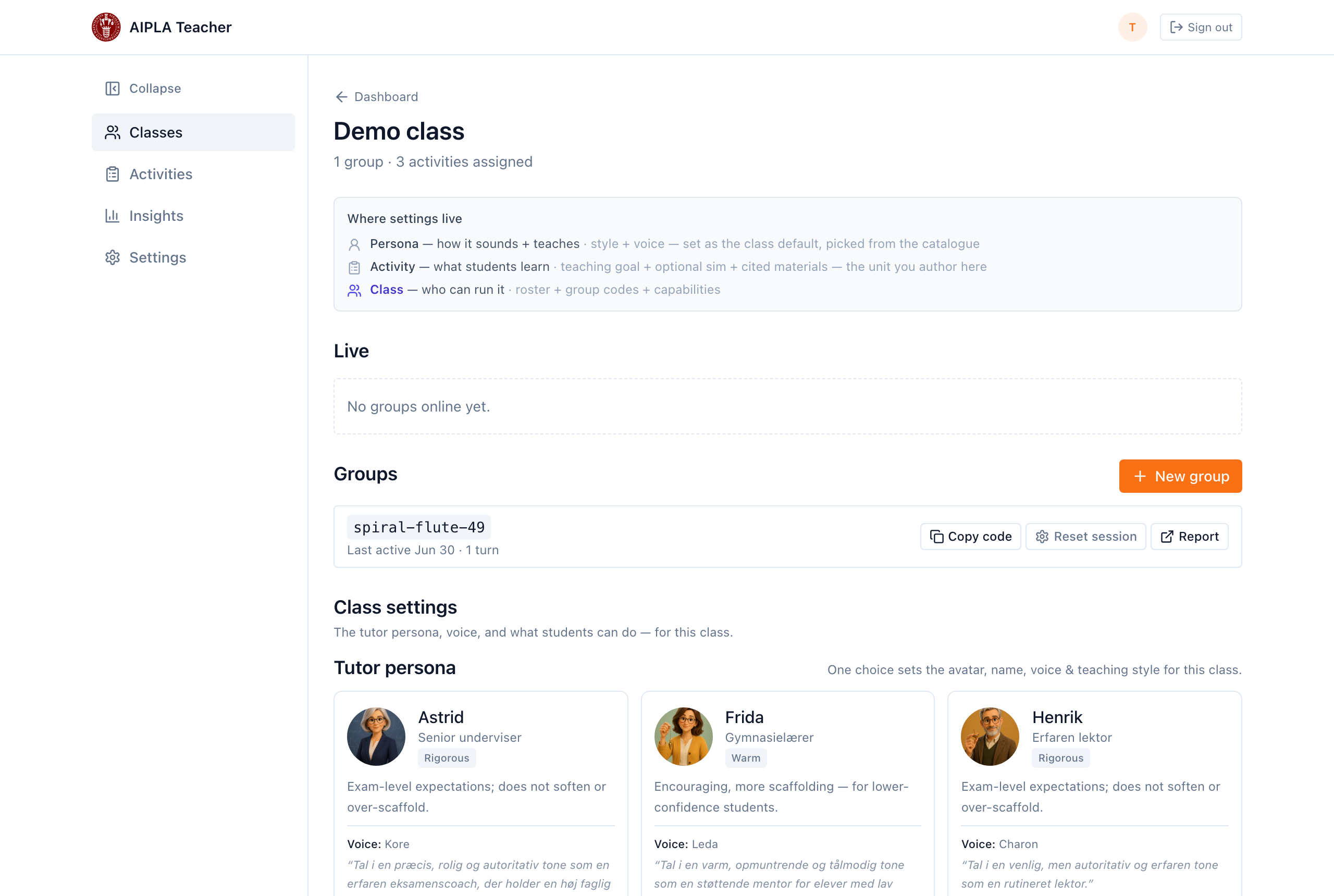
You can mint more than one group code for the same class — for example, one per table group or per lab pair — so you can tell their work apart in reports.
Step 3 — Share the code with students
Give students the group code. They open the student link, type the code, and they are in — no login, no personal account (see S1 — Join and use your tutor). Anything they do is grouped under that code, so your class reports stay organised.
Next steps
- Build the first activity for this class — T2 — Create your first activity.
- Add curriculum documents the tutor can draw on — T3 — Add and organise curriculum materials.
Last reviewed: · AIPLA project team